Four days. One playable game. As many AI agents as you want.
Epic's 2026 AI MegaJam runs November 12–15. Build something in Unreal Engine or UEFN, submit it, and compete for a share of $65,000 in cash prizes. Epic is also advertising potential continuation grants of up to $50,000 for qualifying projects.
Sounds fun. Also sounds like a great way to spend 72 hours making rocks and forget to build a game.
So here's the question that matters before you start:
Can you use AI-generated assets and asset packs you've already bought?
Yes. Both are allowed. Epic's jam page explicitly permits AI tools and third-party assets. For bought or downloaded assets, you need the right license and must list them in your submission.
That means you can spend your time on the game instead of rebuilding a tree for the fifth time.
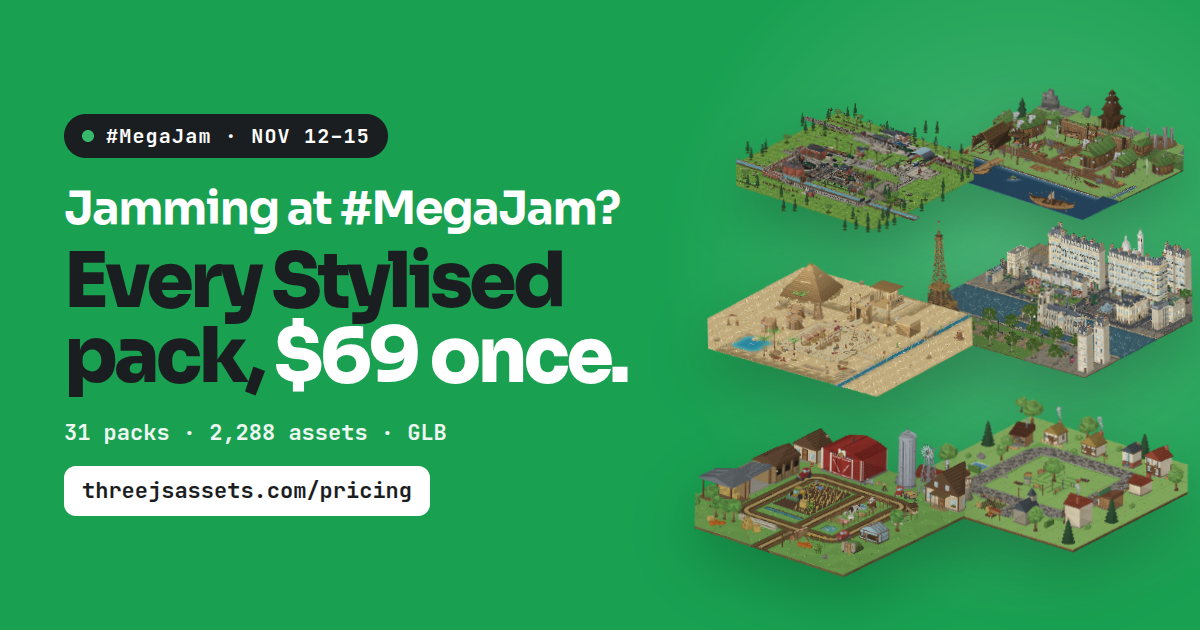
Need assets? Grab some free low-poly 3D models, or check out our stylized asset packs. We're offering $69 one-time lifetime access to our stylized low-poly packs. Every model is a standard GLB (glTF 2.0) file, which Unreal Engine 5 imports natively. Grab a free one and drop it into your project today. See the offer.
Epic AI MegaJam 2026: The essentials#
| Jam dates | November 12–15, 2026 |
| Theme reveal | November 11, 11 AM PST / 2 PM EST |
| Submission deadline | November 15, 5:59 PM PST / 8:59 PM EST |
| Engine | Unreal Engine or UEFN |
| Team | Solo or up to five people |
| AI | Allowed; not required |
| Premade / paid assets | Allowed with the right license; list them |
| Cash prizes | $65,000 across categories |
You'll also need a working game build (or private UEFN version code), a 30–60 second gameplay video, and the required submission details.
Check the official Epic AI MegaJam page for the full rules. It's the source of truth, not a blog post—including this one.
Can you use AI-generated assets in the Epic AI MegaJam?#
Yep. AI-generated 3D models, textures, audio, code, dialogue: Epic allows AI tools across the workflow.
But generating a model and having a model that's usable in a game are two different things.
You still need to check its scale. Materials. Geometry. Performance. Whether it actually matches the rest of your art.
And that last part is easy to underestimate.
Ten individually impressive AI-generated props don't automatically make a coherent game world.
Our suggestion: pick a visual style first. Start with a consistent set of assets. Use AI to fill the gaps, prototype the weird stuff, and speed up the repetitive work.
Also, keep notes on how you're using AI. Epic has a Glass Box award category for development logs showing the AI workflow. A few screenshots and a running list of tools could go a long way.
Can you use purchased or premade 3D assets?#
Yes—and this is probably the easiest shortcut you're allowed to take.
Epic specifically allows third-party assets, including paid ones, as long as you have a license to use them. It even mentions Fab as an example.
So licensed buildings, trees, vehicles, props, interior kits, and other game jam assets are fair game.
Two catches:
- Check the license. Owning an asset file doesn't necessarily mean you're allowed to redistribute it however you want. Make sure your intended game use is covered.
- List what you used. Keep the pack names, creators, and license details somewhere easy to copy into your submission.
And don't confuse preparing for the jam with starting your game early.
Epic allows you to set up your tools in advance, but actual jam-game development must start when the event begins. Pre-existing work—including assets, scripts, and prompts—needs to be declared as required by the rules.
In short: prepare your toolbox now. Build your game during the jam.
Why low-poly assets are a good fit for a four-day game jam#
You've got four days.
Every hour spent fixing a mismatched texture or rebuilding the same prop is an hour you didn't spend on gameplay.
That's why we like stylized low-poly assets for jams:
- They're quick to build with. Drop in buildings, environment pieces, and props, then get back to the actual game.
- They give you a consistent look. One art direction beats a hundred unrelated assets.
- They're easy to iterate with. Rearrange a level, swap a prop, test a new idea.
- They help keep the scope sane. A small, finished game beats a giant unfinished one.
And no, you don't need photorealism to impress anyone. Epic's Render Royalty criteria include both photorealistic and stylized Unreal entries.


Free low-poly assets, or $69 for the whole stylized library#
We build 3D assets at ThreeJS Assets. Environments, buildings, nature, interiors, vehicles, roads, props—the stuff nearly every game needs before it can start feeling like a world.
If you just need a few pieces, browse our free 3D assets. Try them out. See whether the style works for you.
If you'd rather have a bigger toolbox, we're offering lifetime access to our stylized low-poly packs for $69, paid once.
Not just for a single four-day project. A library you can come back to for your next prototype, your next game, and the one after that, within the offer and license terms.
Explore our low-poly packs and the $69 lifetime offer →
Our asset license permits covered models to be embedded in games, including commercial games. It does not permit redistributing the original standalone assets or packs. Read the license.
Using ThreeJS Assets in Unreal Engine and UEFN#
Every model ships as a standard GLB (glTF 2.0) file, the open format Unreal Engine 5 imports natively. Drag a GLB into the Content Browser and the geometry, hierarchy and colors come straight in.
Three quick steps make a pack jam-ready:
- One material for everything. Our low-poly models store their color in vertex colors, so there are no textures to manage or re-link. Create one material, connect a Vertex Color node to Base Color, and apply it to every mesh. Your whole library is in full color in about five minutes.
- Use the individual GLBs. Every asset comes as its own file, ready to place, snap and swap.
- Generate collision on import. Let Unreal add simple collision so you can walk your world from the first playtest.
Building in UEFN? Open the GLB in Blender (File → Import → glTF 2.0), export it as FBX (the vertex colors come with it), and import it into your island as usual.
Run one free model through this before November 12 and your asset pipeline is ready before the theme is even announced.
For more detail, see our guide to using our packs in other engines.
ThreeJS Assets is independent and isn't an official Epic Games jam sponsor or partner.
Our four-day plan to actually finish your game#
You can use 20 AI agents. You still only get four days.
Here's how we'd approach it.
Before the jam: Get your tools working#
Install Unreal Engine or UEFN. Set up your AI tools. Test asset imports. Check your licenses. Watch the November 11 theme reveal.
Don't start building the jam game early. Do the prep work you are allowed to do and declare pre-existing material as required.
Day 1: Build the fun part#
Get the main mechanic working. One level. One objective. A way to win or lose.
If it isn't fun with placeholder cubes, more detailed trees probably won't fix it.
Day 2: Make it feel like a game#
Build a small world around the mechanic. Add progression, obstacles, and enough art to make the experience readable.
Now is when a consistent asset library earns its keep.
Day 3: Polish, test, record#
Tighten controls. Improve feedback. Sort out lighting and audio. Package a test build.
Record the 30–60 second gameplay video before the last-minute panic begins.
Day 4: Ship it#
Fix the bugs that stop people playing. Check the submission requirements. Upload the build or UEFN code. Submit before the deadline.
That final feature idea can wait.
Epic AI MegaJam 2026 FAQ#
Are AI-generated 3D models allowed?#
Yes. Epic permits AI asset generation, alongside AI tools for programming, sound, and writing. You still need to respect IP rights and the official rules.
Can I use assets I bought from a marketplace?#
Yes. Licensed third-party assets are allowed. Make sure your license covers the use and list the assets in your submission.
Can I use assets I owned before the jam?#
The published instructions permit third-party assets and require relevant pre-existing materials to be declared. Buying an asset pack in advance isn't the same as developing your actual jam game ahead of time.
Do I have to use AI?#
No. You can, but Epic doesn't require it.
Can I make my submission in Three.js?#
No. This jam requires Unreal Engine or UEFN. The name ThreeJS Assets doesn't change that—our models would need to be imported or converted into your eligible project.
Can my game have a stylized or low-poly art style?#
Absolutely. Epic considers stylized as well as photorealistic Unreal Engine entries for its visual award criteria.
Can I sell my game after the jam?#
Epic says creators retain ownership and can keep developing their games, subject to the official rules and any third-party licenses. Review those terms before releasing commercially.
Build the game. Don't spend four days building barrels.#
AI is allowed. Bought assets are allowed. And the clock starts on November 12.
Get your tools ready. Pick a style. Keep the scope small. Ship something playable.
Jam details checked October 23, 2026. Always refer to Epic's official rules for final eligibility, asset, and submission requirements.