
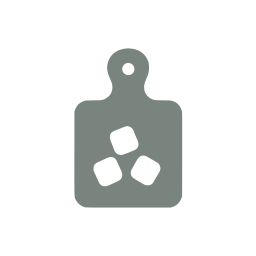
 preview · 24×24 grid
Cutting board icon
A single SVG path on a 24×24 grid, drawn at the same optical weight as the other 3,872 icons in the ThreeJS Assets Icons library — so it sits in a toolbar next to any of them without re-balancing. Filled with currentColor, which means colour and size come from your CSS rather than from a second export.
Cutting board is one of 3,092 icons in the full library
- All 3,872 icons as SVG, JSX and PNG
- Every icon we add later, included
- Commercial use in unlimited projects
Already bought it? Sign in
In your UI
The same glyph in the places it will actually live. Change the colour above and these follow.

Using the cutting board icon
Three ways to get it on screen. Nothing here needs an icon font, a build step, or a runtime dependency.
The path data below is a placeholder. The real geometry ships when you have access to this icon — the snippets themselves are exactly what you will paste.
Inline SVG
Paste it straight into your markup. No runtime, no font, no request — the icon ships as part of the document.
<svg xmlns="http://www.w3.org/2000/svg" width="24" height="24" viewBox="0 0 24 24" fill="currentColor"><path d="…" /></svg>React / TypeScript component
The same path as a typed component. Spreading SVGProps means className, onClick, and aria-* all pass through untouched.
export function CuttingBoardIcon(props: React.SVGProps<SVGSVGElement>) {
  return (
    <svg xmlns="http://www.w3.org/2000/svg" width="24" height="24" viewBox="0 0 24 24" fill="currentColor" {...props}>
      <path d="…" />
    </svg>
  );
}
Sizing and recolouring
Every icon is drawn with fill="currentColor" on a 24×24 grid, so it inherits colour from the surrounding text and scales with width/height alone — no second export per theme.
// Colour follows the text colour, size follows the props.
<span className="text-emerald-600">
  <CuttingBoardIcon width={32} height={32} />
</span>

// Or drive both from CSS:
// .toolbar svg { width: 1.25rem; height: 1.25rem; color: #12A150; }
Free icons close to this one
Not ready to buy? These share a tag or a category with cutting board and are free with an account.


Related cooking & food systems icons
Nearest by tag, from the same 48-icon set.









Cutting board comes with 3,871 others.
3,872 icons on one 24×24 grid at one optical weight, so any of them sits next to any other. $39 once for all of them — including the ones we add later.





Tags
These are the words the library search matches on, so any of them will find this icon — and every other icon drawn for the same idea.
Licence
Part of ThreeJS Assets Icons — one purchase at $39 for the whole library, including the icons added after you buy. Commercial use in unlimited projects; redistributing the icons as an icon set is not permitted.
Read the icons licence →Details
- Name
- cutting-board
- Category
- Cooking & Food Systems
- Grid
- 24 × 24
- Geometry
- single path
- Fill
- currentColor
- Formats
- SVG, JSX, PNG
- Added in
- 1.0.0