Web-ready 3D models, one click from your project.
A free Unity package for your threejsassets library. Your whole catalog sits in an editor window — search it, click a model, and it lands in your project as a prefab. No browser tab, no downloads folder, no unzipping.
Unity 6.3 LTS (6000.3) or newer · macOS, Windows and Linux · free forever
- Price
- Free, forever
- Unity
- 6.3 LTS and newer
- Imports
- Single models or whole packs
- Second time
- Cached — no re-download
Install it in under a minute
One registry, added once per project. Package Manager handles the install and every update after it.
Add one registry. Package Manager does the rest.
- 1. In your Unity project, open Edit → Project Settings → Package Manager and add a scoped registry — or paste the block below straight into Packages/manifest.json.
"scopedRegistries": [
  {
    "name": "ThreeJS Assets",
    "url": "https://extensions.threejsassets.com/unity",
    "scopes": ["com.threejsassets"]
  }
]- 2. Open Window → Package Manager, switch the dropdown to My Registries, and install ThreeJS Assets.
- 3. Open Window → ThreeJS Assets and paste a key from your account.
Every future version turns up in the same screen with an update button — nothing to re-download by hand, and nothing that changes your project without you asking.
What comes with it
Package Manager pulls in com.unity.cloud.gltfast and com.unity.cloud.draco automatically — Unity ships no glTF importer of its own, and our models are Draco-compressed. Both are Unity's own packages, and you do not have to do anything about either.
From nothing to a prefab in your scene
About three minutes, most of it spent deciding which asset you want.
- Step 01
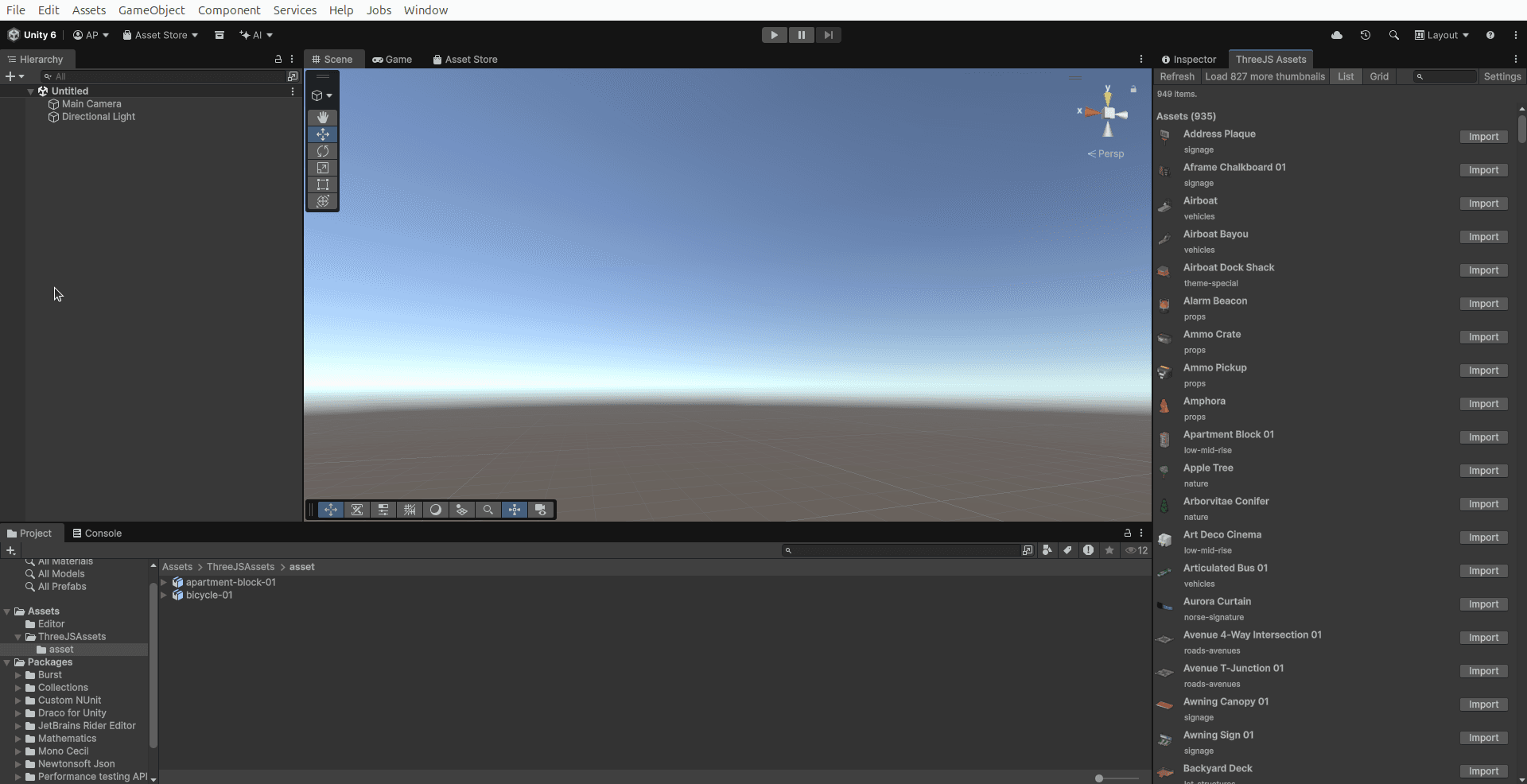
Your whole library, docked in the editor
Add the registry once, paste a key, and everything you own is a panel in Unity — searchable, with thumbnails you can actually recognise. Imported models land in your Project window like any other asset.
- Step 02
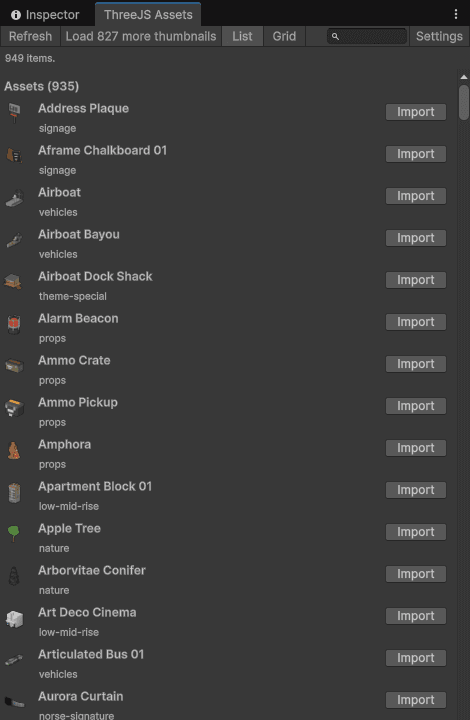
A list that survives a big library
Full names, categories and an Import button on every row. This is the default view because it is the one that still works when you own several hundred things. Search filters as you type.
- Step 03
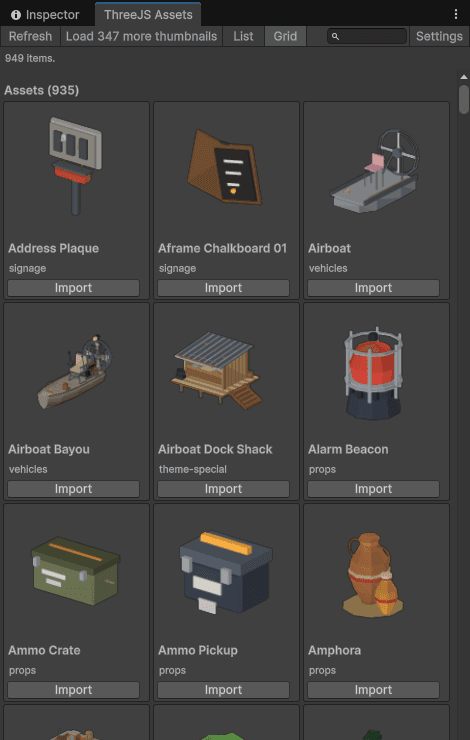
Or a grid, when you want to see them
Large thumbnails that reflow to whatever width you have given the panel — drag it wider and you get more columns. Better for recognising a model you half-remember than for finding one by name.
- Step 04
Click once. It is a prefab.
Press Import and it downloads, lands in Assets/ThreeJSAssets, and Unity's glTF importer turns it into a prefab you can drag into a scene. It shows you where it will write before it writes anything, and a newer version never overwrites the old one.

Built to stay out of the way
The details you only notice when a package gets them wrong.
Your key never enters your project
It lives in EditorPrefs — per-user, per-machine, outside version control. Nothing under Assets/ or ProjectSettings/ changes when you enter one, and a test asserts exactly that on every build.
Nothing is downloaded into your repository
The cache sits outside the project and is shared between projects, so a pack you already have costs nothing the second time and never bloats a checkout.
Updates never overwrite what you imported
A newer version of an asset lands alongside the old one. A scene referencing the old prefab keeps working — you re-import when you are ready, not when we decide.
It never edits your manifest
Packages/manifest.json pins your whole team, so this package never writes to it. Updates come through Package Manager, where you can see them, on your schedule.
Questions
- Is the Unity package free?
- Yes, and it always will be. It is MIT-licensed, works with a free account and the free assets, and you never need to buy anything to install or use it.
- Which Unity versions does it support?
- Unity 6.3 LTS (6000.3) and newer, on macOS, Windows and Linux. It is an editor-only package — nothing it contains can end up in a player build.
- Do I need glTFast?
- Yes, and you do not have to do anything about it. Unity ships no glTF importer, so the package depends on Unity's own glTFast and Draco packages and Package Manager installs both for you.
- Where do the files go?
- Downloads are cached outside your project, in your machine's application-data directory, shared across every project. Imports go to Assets/ThreeJSAssets, which you can change, and the window shows you the path before it writes.
- Will it change files my teammates depend on?
- No. It never writes Packages/manifest.json, never overwrites an asset you already imported, and never touches your graphics or render-pipeline settings.
- Can I use the models commercially?
- Yes — the same licence applies as when you download from the site. Ship them in games, client work and products; just do not resell the files themselves.
- How do I update the package?
- Package Manager shows an update button whenever a new version is published, and the window itself flags one so you do not have to go looking. Nothing installs itself behind your back.
- Is my API key safe?
- It is stored in Unity's per-user EditorPrefs and only ever sent to threejsassets.com, when you ask the window to do something. Revoke it from your account any time and it stops working immediately.